This is a guide for setting up the "greeting" or voicemail on your iPhone.
Step 1:
Open the Phone App:
Locate and tap the green phone icon on your iPhone's
home screen.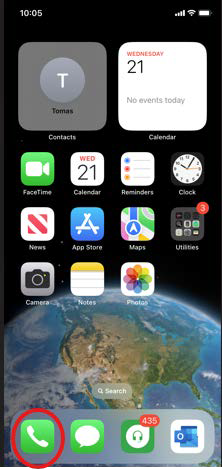
Step 2:
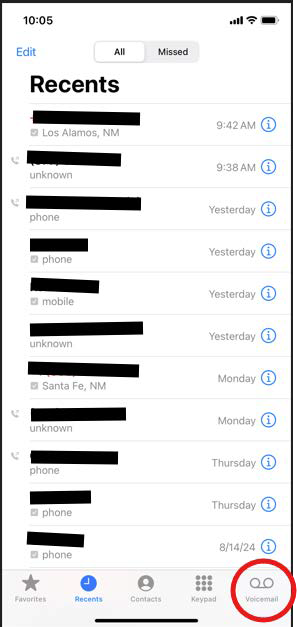
Access Voicemail:
At the bottom of the phone app, you'll see a tab labeled
"Voicemail." Tap on it.
Step 3:
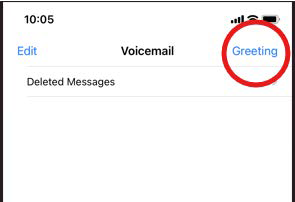
Choose "Greeting":
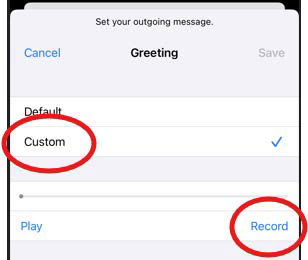
You have two options for your voicemail greeting:
Default: Use a pre-recorded greeting provided by your
carrier.
Custom: Record your own personal greeting. To play it
back , hit "Play".
Step 4: Save
Whichever option you end you end up choosing make
sure there is a check mark on the right and hit "Save".
Was this article helpful?
That’s Great!
Thank you for your feedback
Sorry! We couldn't be helpful
Thank you for your feedback
Feedback sent
We appreciate your effort and will try to fix the article