Within SharePoint, you can create folders and files and use the permission settings to dictate who has access to it. This is useful for teams/bureaus that need to create a restricted folder with sensitive information that only a few people need access to and is useful for sharing outside of your bureau with other people in PED.
- Head to the SharePoint Documents Site and select the folder. If you need a new folder/file, you can easily click on +New/Create to create a folder.
- Click on the 3 dots next to the Folder then click on Manage Access.
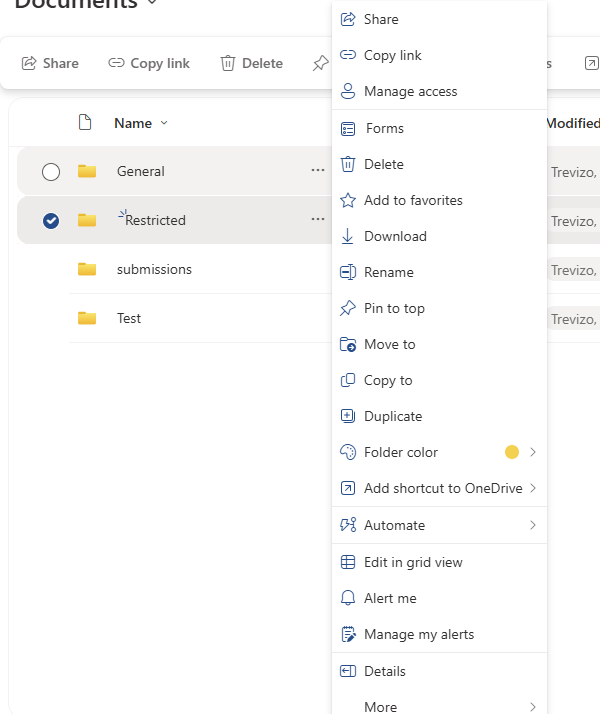
- Click on People and Edit. Click on the icon next to the search bar and change it to Can Edit.
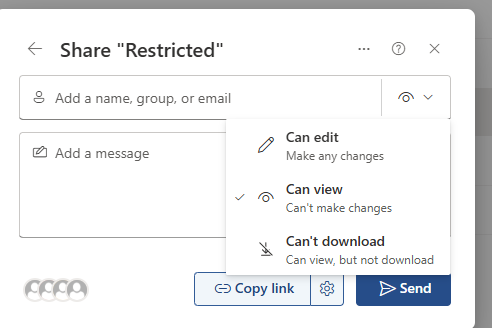
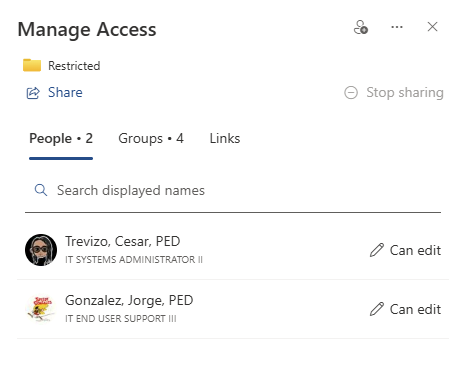
- Start adding the people that will need access. This will send an invitation to the people via their email. Go back to Manage Access to confirm.
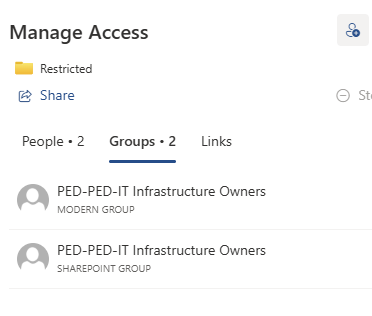
- Click on Groups. If you need to remove permissions from members of the bureau. Change the permissions for both Visitors and Members to No Direct Access, then click Apply.
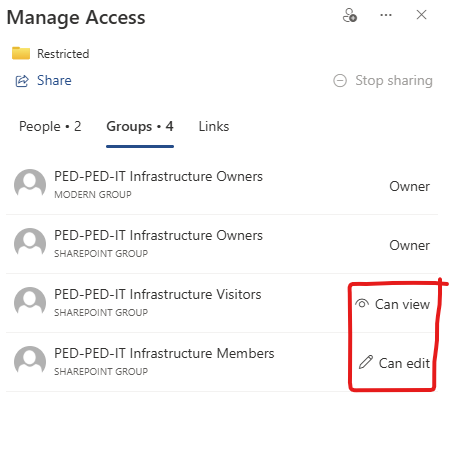
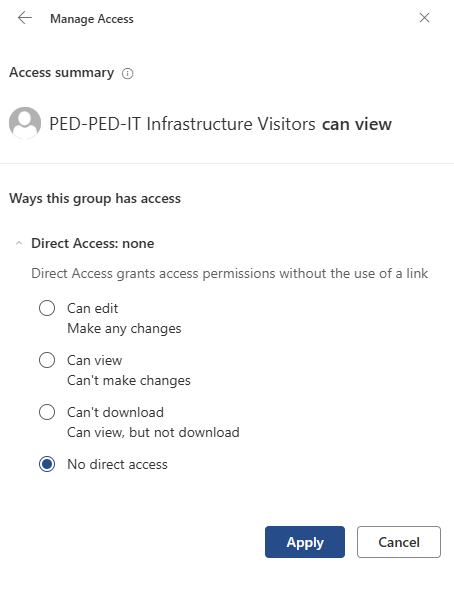
- This will leave you with only the Owners and the people who were shared access to with the ability to see and edit changes.
Was this article helpful?
That’s Great!
Thank you for your feedback
Sorry! We couldn't be helpful
Thank you for your feedback
Feedback sent
We appreciate your effort and will try to fix the article