These instructions are for users who have access to DoIT's VPN. You can only get access to this VPN if your supervisor puts in a request with justification on why you need it. When DoIT creates your account, we will install the appropriate VPN client for you. Once you are notified that you are given access and you had the client pushed to your computer, please follow the instructions below to login to the VPN.
- Look for this application. If it is not near the clock, try searching for Cisco Secure Client

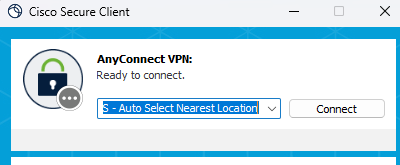
- Open it and click on Connect.
- You will be prompted to enter your Microsoft credentials.
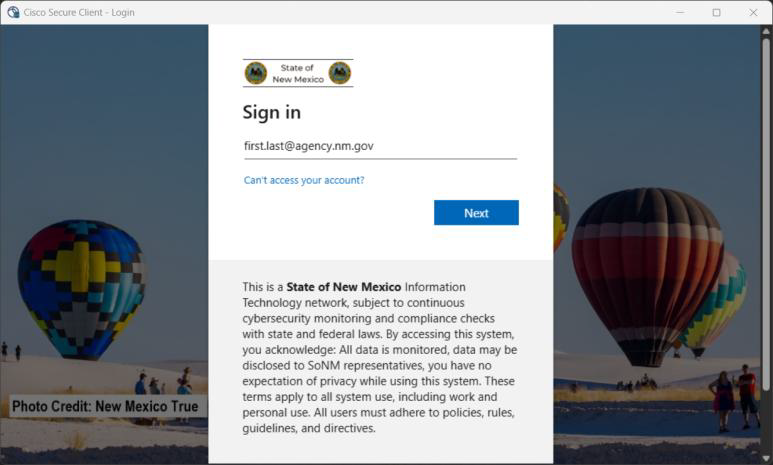
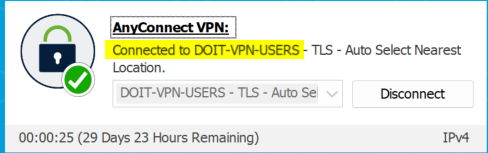
- When you sign in and you are authenticated, it will show that you are connected.
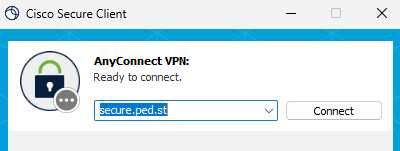
- If you need to switch to the PED VPN to access something like the R: Drive, click on Disconnect. Highlight the text and delete it to enter PED's VPN Address. If you need the full address, check your desktop for the PED VPN Instructions or let us know.
Was this article helpful?
That’s Great!
Thank you for your feedback
Sorry! We couldn't be helpful
Thank you for your feedback
Feedback sent
We appreciate your effort and will try to fix the article