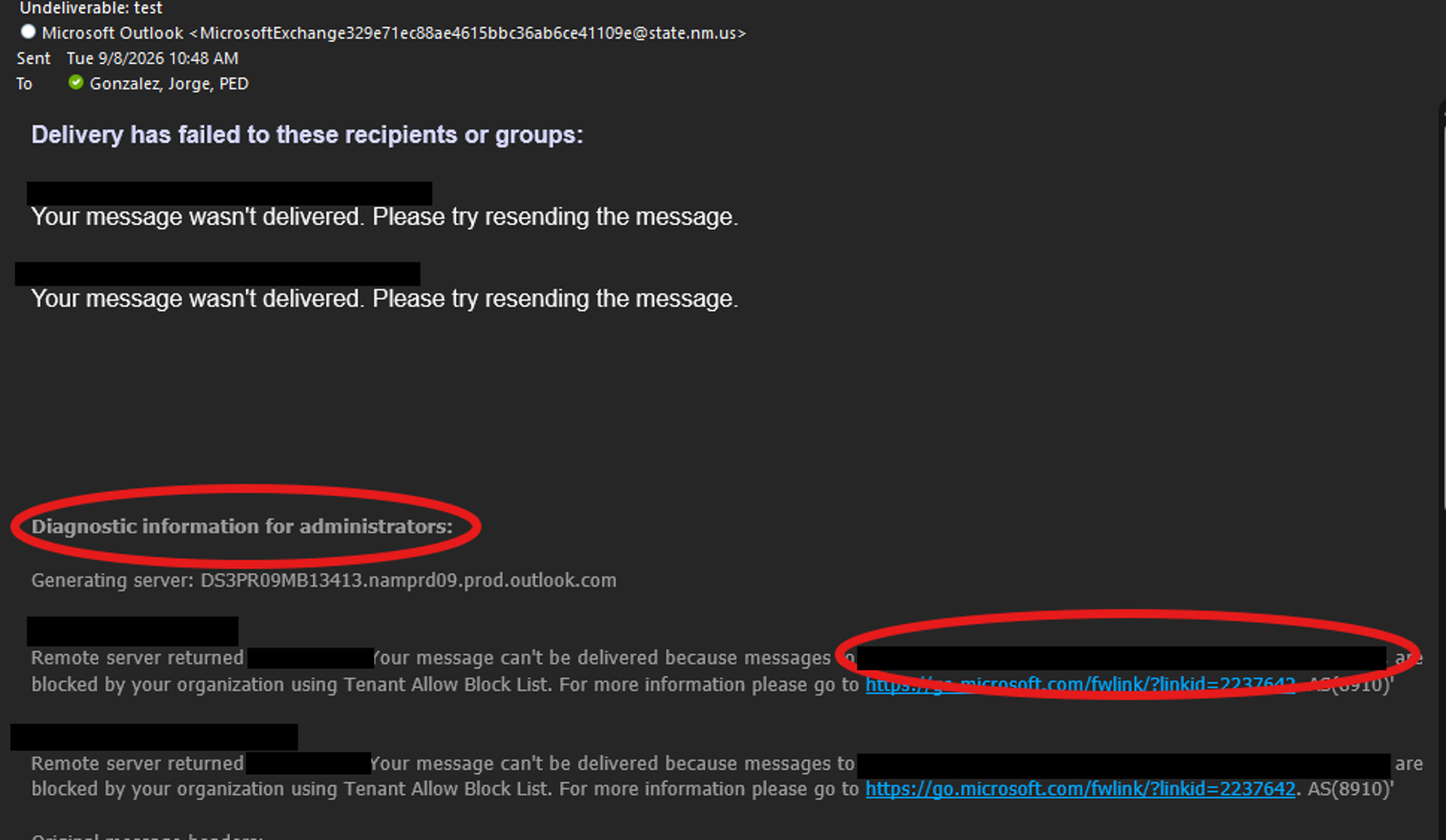
If you are receiving an email from Microsoft Outlook stating that emails have failed to send, there may be a user or users who have been blocked by our organization. You might receive an email like the one below.

Removing the blocked email and then resending it to the rest of the email list should work. If you receive the same email, then follow the same steps until you can send.
To find the email address that is causing this issue, scroll down to “Diagnostic information for administrators”. There, you should see the email addresses of people in the email group, and to the right, it will show the email address that needs to be removed from the list.
The email address has been blacked out for privacy reasons.
Please keep in mind that the PED IT team cannot unblock email addresses. The affected user must reach out to the NM Office of Cyber Security. They will walk the user through the steps to unblock their account.
https://www.doit.nm.gov/programs/cybersecurity
Other contacts :
Flori Martinez
Was this article helpful?
That’s Great!
Thank you for your feedback
Sorry! We couldn't be helpful
Thank you for your feedback
Feedback sent
We appreciate your effort and will try to fix the article