If you have not yet requested access to DocuSign, please do that first: PED IT Helpdesk
If you need access to create templates, please include that in the ticket.
Please sign in with your PED email address.
Ex: John.Doe@ped.nm.gov (Your email address might include numbers)
If you did not submit a ticket for account creation, you may be able to sign in, but you will not have access to send envelopes.
It might look like this:
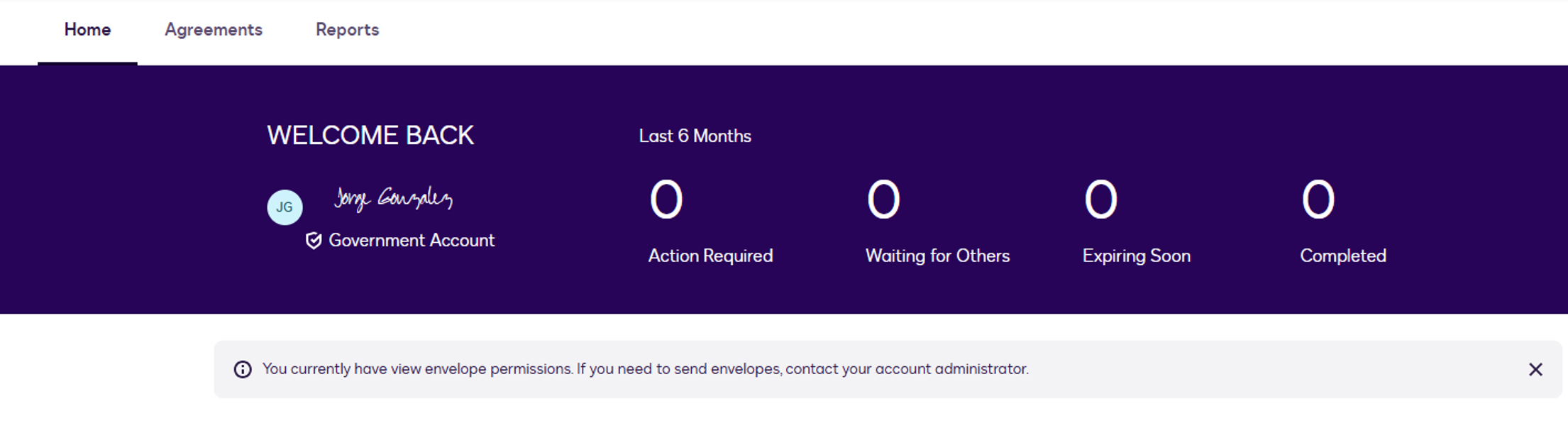
Once access has been granted, it might sign you into the correct profile.
If your account looks like this even after it has been created, please follow these steps.
Close your browser and sign in again.
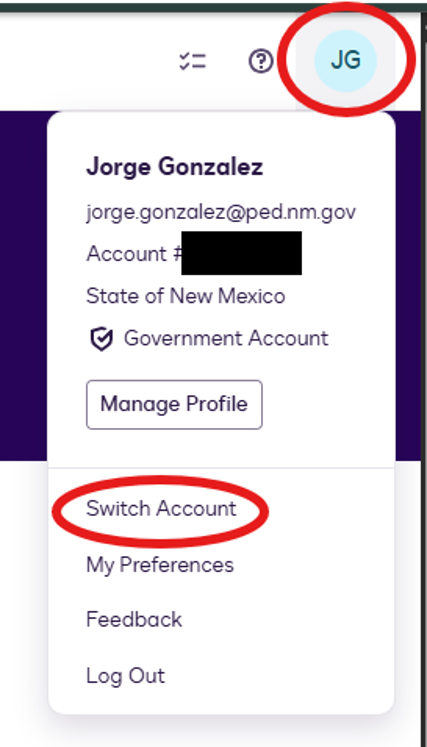
On the top right, please click on your initials, then select “Switch Account”. If you do not see this, then your account has not yet been made.
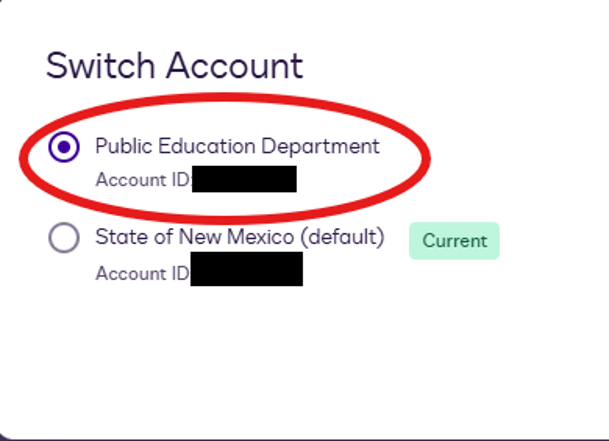
Select “Public Education Department” and then confirm.
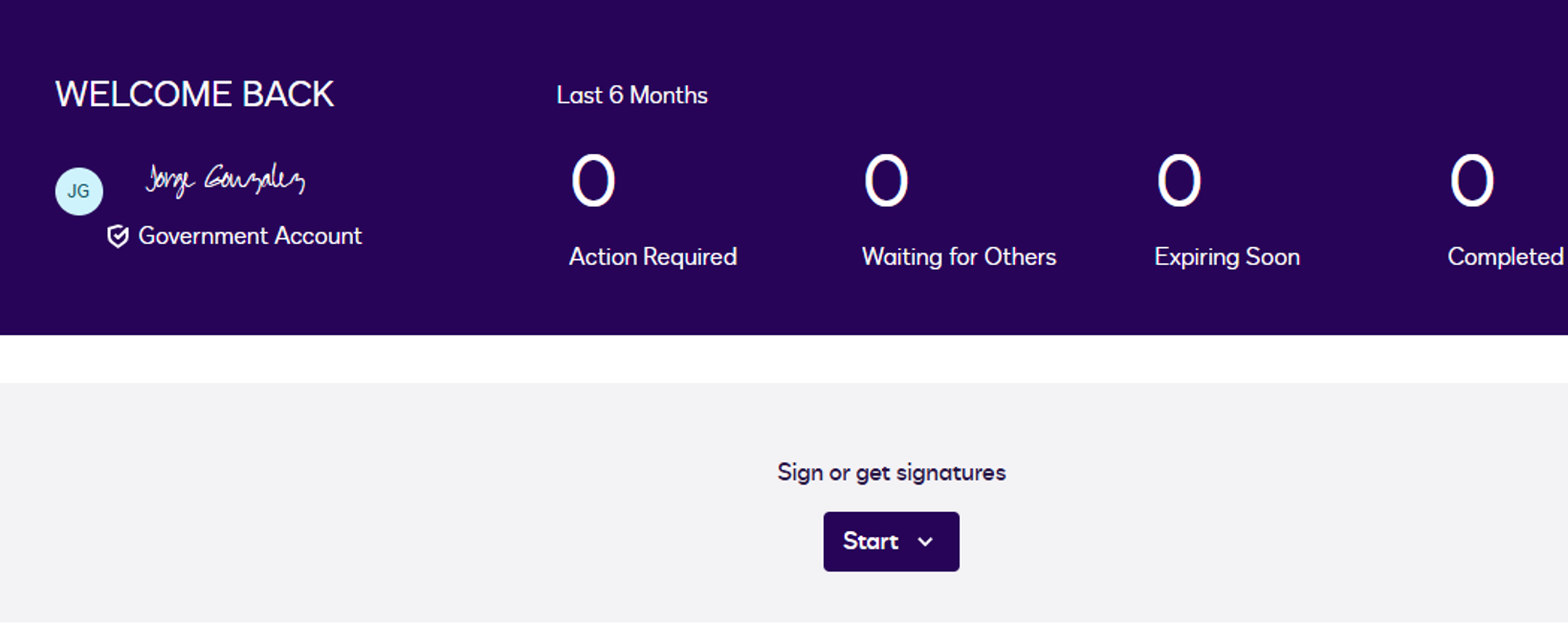
After confirming, you will be able to start envelopes or documents
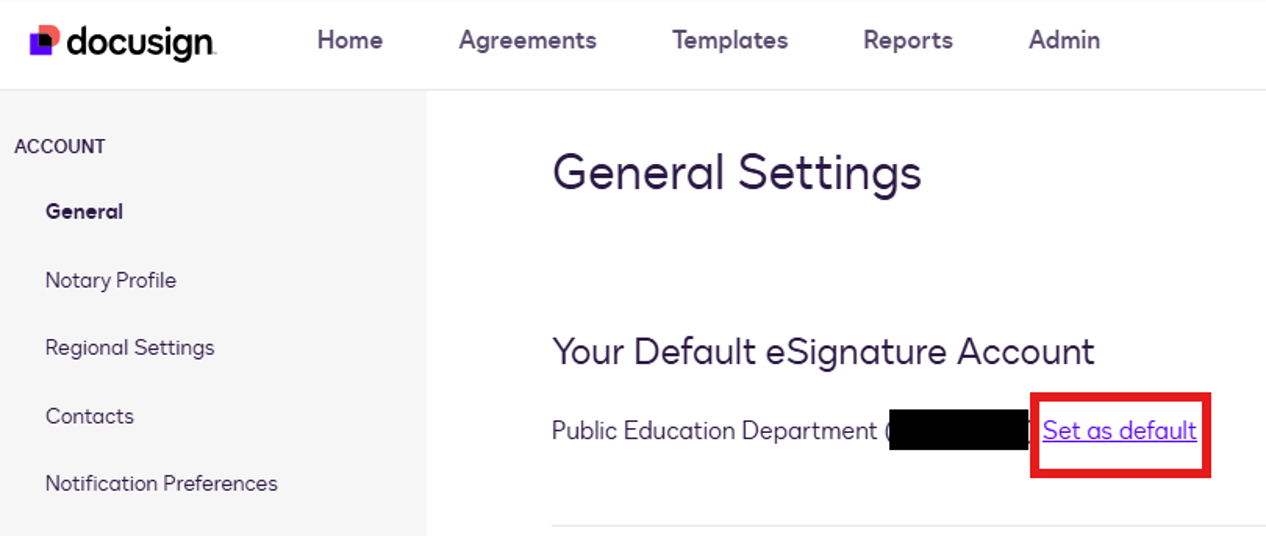
Now we need to make this your default account when you log in.
To do this, please click on your initials and then select “My Preferences”.
Select “Set as default”
Was this article helpful?
That’s Great!
Thank you for your feedback
Sorry! We couldn't be helpful
Thank you for your feedback
Feedback sent
We appreciate your effort and will try to fix the article